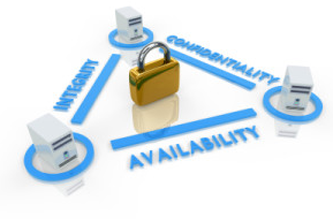
For any information system to serve its purpose, the information must be available when it is needed. This means that the computing systems used to store and process the information, the security controls used to protect it, and the communication channels used to access it must be functioning correctly. Availability systems aim to remain available at all times, preventing service disruptions due to any kind of threat.
Future Technology brings sevaral Availability solutions given below to achieve the availability of information to the corporate customers.
Availability Solutions
+ Backup
In Information Technology, a backup or the process of backing up refers to making copies of data so that these additional copies may be used to restore the original after a data loss event. The verb form is back up in two words, whereas the noun is backup.
Backups have two distinct purposes. The primary purpose is to recover data as a reaction to data loss, be it by data deletion or corrupted data. Data loss is a very common experience of computer users. 70% of internet users have suffered serious data loss. The secondary purpose of backups is to recover data from a historical period of time within the constraints of a user-defined data retention policy, typically configured within a backup application for how long copies of data are required. Though backups popularly represent a simple form of disaster recovery, and should be part of a disaster recovery plan, by themselves, backups should not alone be considered disaster recovery.
+ Storage
A storage area network (SAN) is a dedicated storage network that provides access to consolidated, block level storage. SANs primarily are used to make storage devices (such as disk arrays, tape libraries, and optical jukeboxes) accessible to servers so that the devices appear as locally attached to the operating system. A SAN typically has its own network of storage devices that are generally not accessible through the regular network by regular devices. The cost and complexity of SANs dropped in the early 2000s, allowing wider adoption across both enterprise and small to medium sized business environments.
A SAN alone does not provide the “file” abstraction, only block-level operations. However, file systems built on top of SANs do provide this abstraction, and are known as SAN filesystems or shared disk file systems.
A Network-attached storage (NAS) is file-level computer data storage connected to a computer network providing data access to heterogeneous clients. NAS not only operates as a file server, but is specialized for this task either by its hardware, software, or configuration of those elements. NAS is often made as a computer appliance – a specialized computer built from the ground up for storing and serving files – rather than simply a general purpose computer being used for the role.
As of 2010[update] NAS devices are gaining popularity, as a convenient method of sharing files among multiple computers. Potential benefits of network-attached storage, compared to file servers, include faster data access, easier administration, and simple configuration.
NAS systems are networked appliances which contain one or more hard drives, often arranged into logical, redundant storage containers or RAID arrays. Network-attached storage removes the responsibility of file serving from other servers on the network. They typically provide access to files using network file sharing protocols such as NFS, SMB/CIFS, or AFP.
+ Load Balance
According to industry analysts, fewer than 25% of mission critical Internet applications achieve internal objectives for continuous availability. Challenges include maintaining uptime when servers fail, scaling data center capabilities to handle increased load.
Server load balancing & Link Load Balancing solutions will help organisation to overcome the above challenges & will help to achieve continuous availability of Applications & Internet link.
+ Email Archiving
E-mail archiving is a systematic approach to saving and protecting the data contained in e-mail messages so it can be accessed quickly at a later date. In the past, companies often relied on end-users to maintain their own individual e-mail archives. The IT department would back up e-mail, but not in a manner that made messages searchable. If a specific e-mail needed to be traced, it often took weeks to find it. With today’s compliance legislation and legal discovery rules, it has become necessary for many IT departments to manage the entire company’s e-mail archiving in bulk so specific messages can be located in minutes, not weeks.
Policy-based e-mail archiving software applications allow IT managers to manage large e-mail archives, as well as to free up space on production servers and speed up backup times. These applications typically include indexing and search capabilities, access logs to provide a “virtual paper trail” in the event an e-mail is subpoenaed, and a lifecycle management component, which acts as kind of a traffic cop for all e-mail coming in to the company. The life cycle management component uses rules set up by the administrator. It will classify which e-mail messages need to be archived, migrate the messages to the most economical and efficient storage media, and automatically delete messages when they are no longer needed.